Best Soldering Irons for Beginners (2026)
I've melted through six soldering irons in ten years. The three worth buying in 2026 — best overall, best budget, best bench upgrade — and the ones to skip.
Hector Neal
PUBLISHED JUN 14, 2026 · UPDATED JUN 28, 2026 · 9 MIN READ
// THE SHORT VERSION
★ BEST OVERALL
◆ BEST BUDGET
▲ BEST BENCH UPGRADE
How they compare
| IRON | POWER | HEAT-UP | TIPS | PRICE |
|---|---|---|---|---|
| Pinecil V2 ★ PICK | 88W (USB-C) | ~6 sec | TS100/TS101 | ~$26 |
| 60W Adjustable Kit | 60W (mains) | ~90 sec | 900M (everywhere) | ~$15 |
| Hakko FX-888D | 65W (station) | ~25 sec | T18 (huge range) | ~$120 |
★ BEST OVERALL
1. Pinecil V2
~$26
Pinecil photo
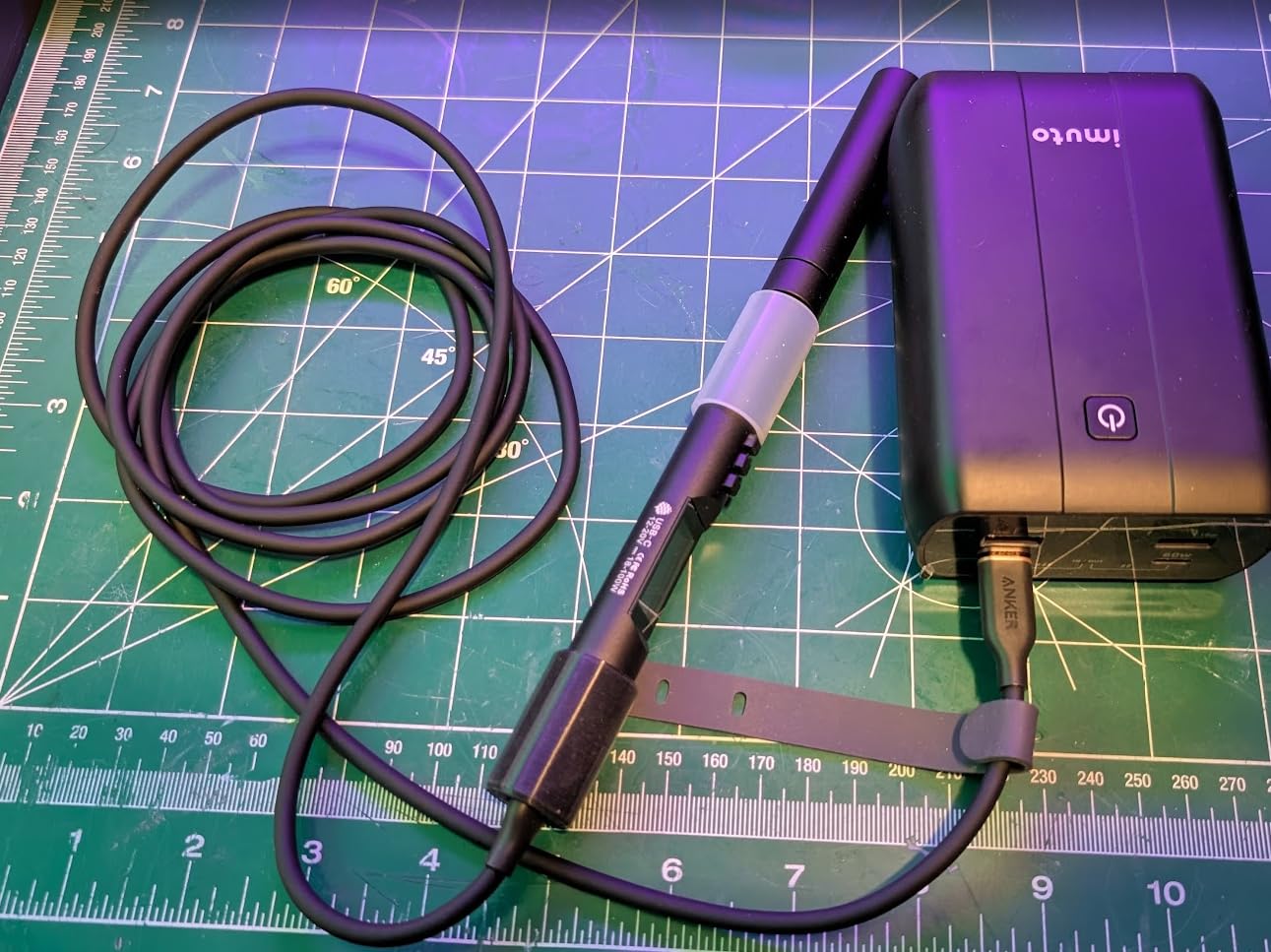
This is the iron I hand to people who ask “what should I buy?” It heats to soldering temperature in about six seconds, the temperature control is genuinely accurate, and it runs off USB-C — the same charger as your laptop, or a power bank in the field. Mine has survived three years of abuse the FX-888D would bill me for.
LOVE
- 6-second heat-up
- USB-C — portable by default
- Cheap, plentiful tips
DON’T LOVE
- Needs a 60W+ USB-C brick
- No stand in the box
◆ BEST BUDGET
2. 60W Adjustable Iron Kit
~$15
Budget kit photo
If $26 plus a USB-C brick is a stretch, a mains-powered 60W kit with a temperature dial gets you 90% of the way for $15 — and usually includes a stand, solder, and a pump. The dial isn’t precise, but “somewhere around 350°C” is honestly fine for through-hole work. This is what I learned on.
LOVE
- Complete kit in the box
- Plugs into the wall — no brick
- 900M tips sold everywhere
DON’T LOVE
- Slow heat recovery
- Dial ≠ real temperature
▲ BEST BENCH UPGRADE
3. Hakko FX-888D
~$120
Hakko station photo
The classic bench station, and the one I reach for when a project has fifty joints instead of five. Rock-solid temperature stability, a proper heavy stand, and a tip range that covers everything from drag-soldering to desoldering braid work. Buy it when soldering stops being occasional — not before.
LOVE
- Bulletproof — mine’s 7 years old
- Fast recovery on big joints
- Huge genuine tip range
DON’T LOVE
- Overkill for a first iron
- Counterfeits everywhere — buy carefully
Skip these
Fixed-temperature “firestarter” irons ($8). No temperature control means lifted pads and cooked components. The $7 you save will cost you a dead board.
“Hot air rework station” combo deals ($45). A mediocre iron bolted to a hot air gun you won’t need for years. Buy the good iron now; buy hot air when you know why you need it.
// FREE DOWNLOAD
Get my one-page soldering setup checklist
The iron, the solder, the flux, and the four accessories actually worth owning — on one printable page. Plus one email when a new build goes live. No spam, ever.
Send me the checklist →
FAQ
Do beginners really need temperature control?
Yes — it's the one feature not to skip. Fixed-temp irons run too hot for modern lead-free solder and cook components. Temperature control now starts under $30, so there's no reason to go without.
What wattage should I buy?
55–65W with temperature control. Higher wattage isn't about running hotter — it's about recovering heat faster between joints, which is what actually makes soldering feel easy.
Is the Pinecil worth it over the budget kit?
If you already own a 60W+ USB-C charger, absolutely — it heats 15× faster and holds temperature properly. If you'd have to buy the charger too, the budget kit is the smarter first step.